

How to get alerts for new Twitter/X followers
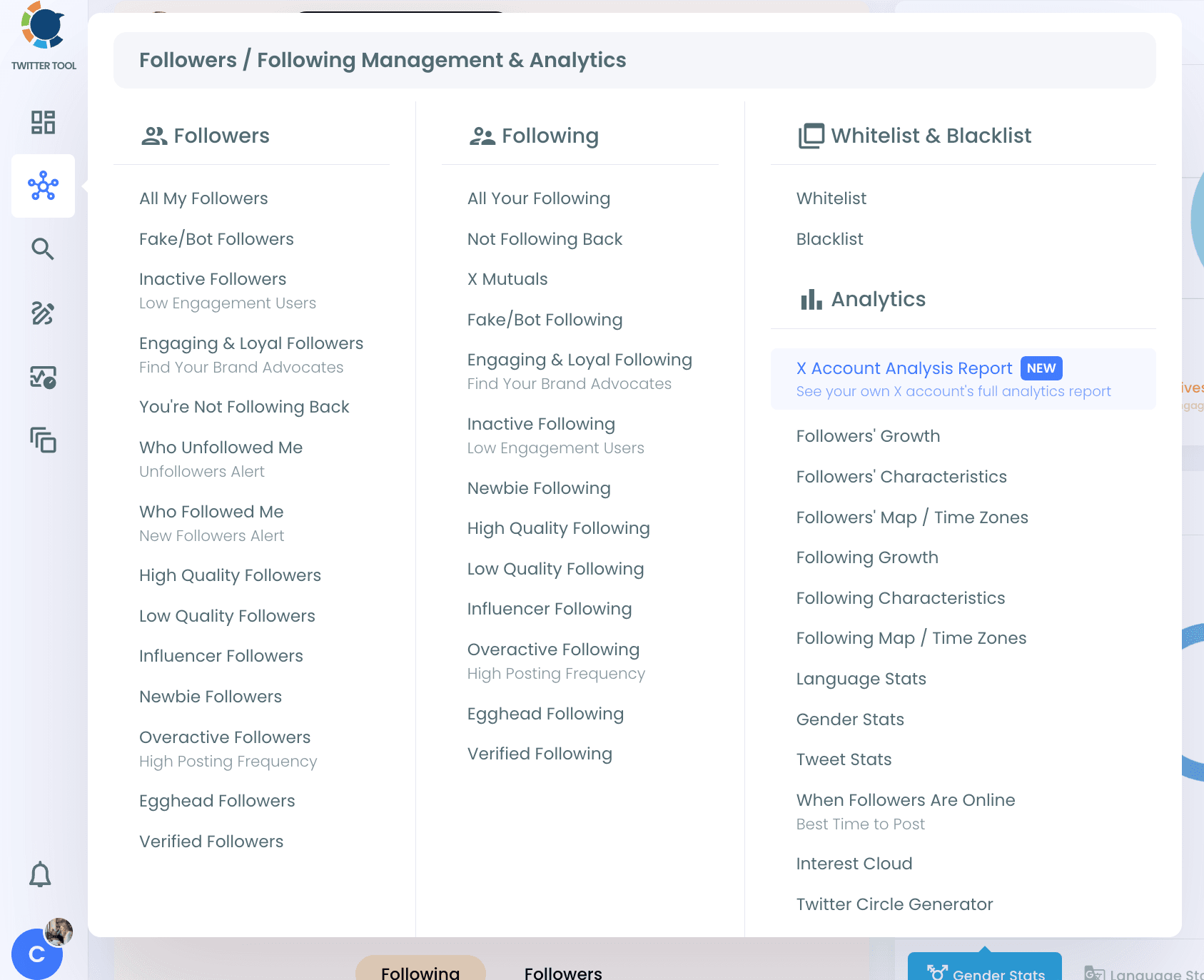
Step #1: Log in to Circleboom Twitter. From the left menu, open Followers / Following Management & Analytics > Followers > Who Followed Me.
Step #2: Your new followers are listed for the selected period, with their tweet count, join date, following, followers, follow ratio and activity. Use the period dropdown to change the time range.
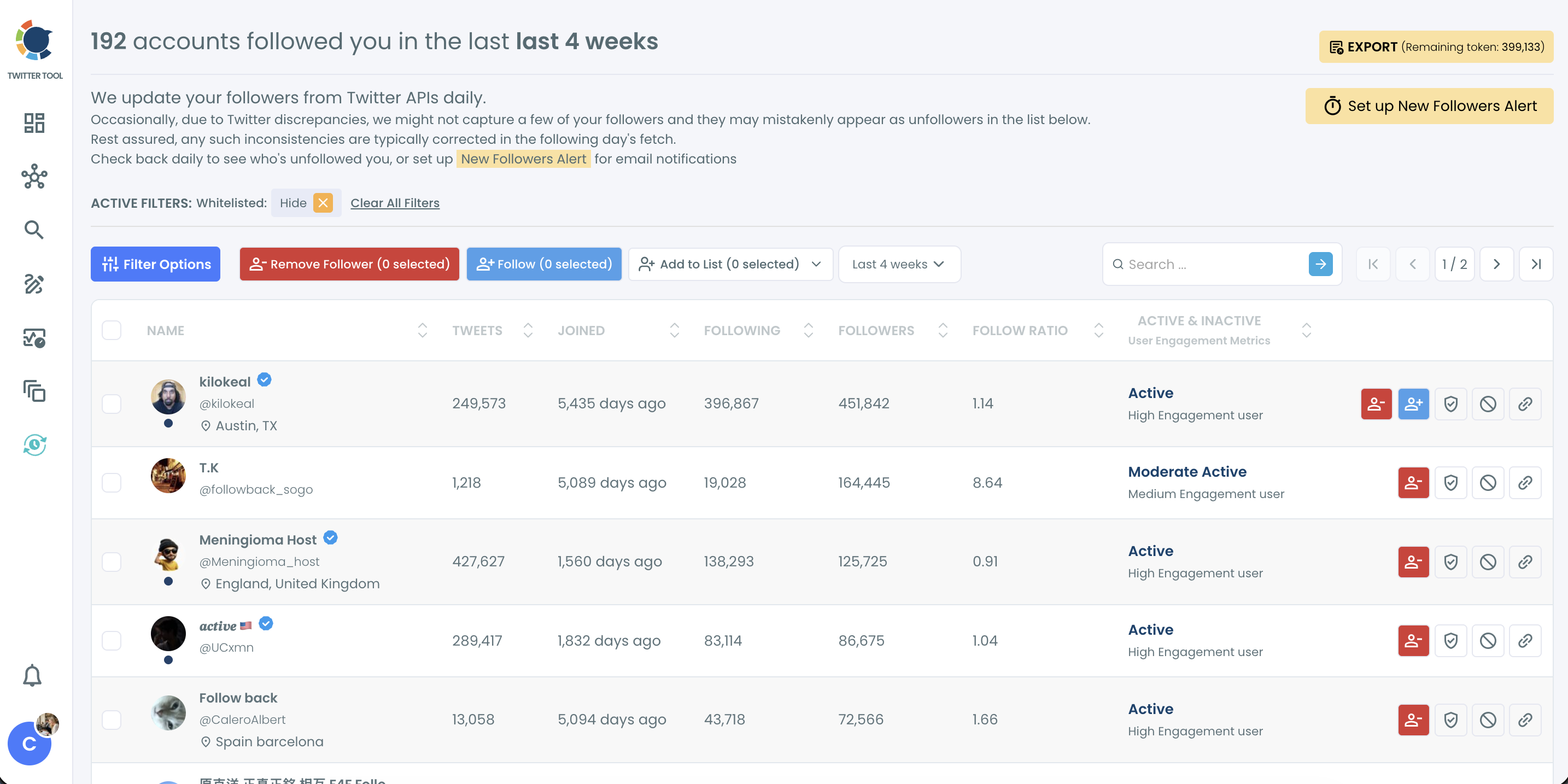
Step #3: Click Set up New Followers Alert.
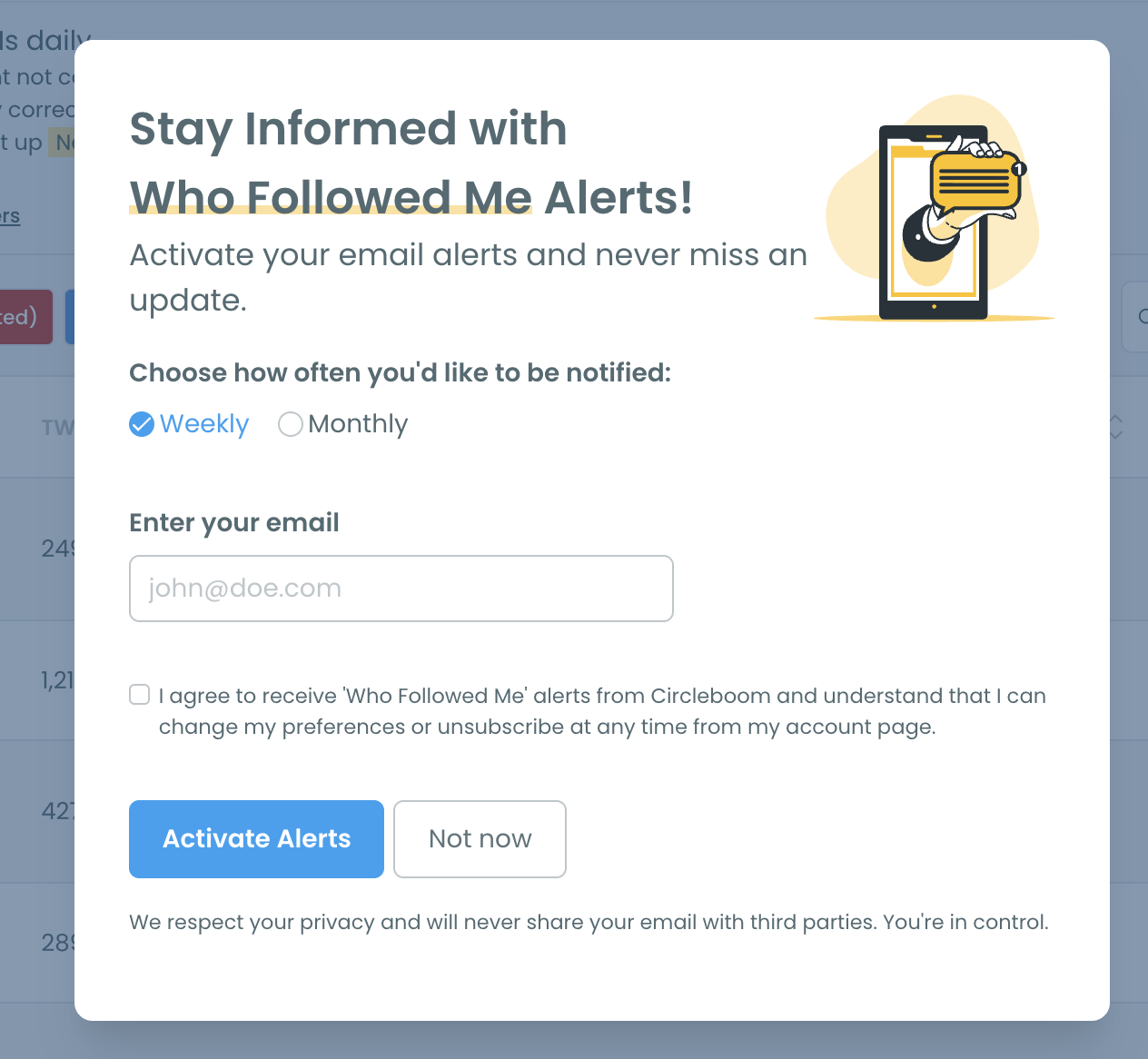
Step #4: Choose Weekly or Monthly, enter your email address, check the consent box and click Activate Alerts.
What can I do with my new followers?
From the same list, you can follow back, remove followers, add accounts to a Twitter list or your Mass Block List, and export the list. Use Filter Options to find bot-like, inactive or egghead accounts among your new followers.
You can learn more on the Who Followed Me page.