

How do I change my AI Writer preferences after setup?
You don't need to repeat the setup. You can change your AI preferences anytime in Account Settings > AI Preferences.
Step #1: Open X AI Writer for Creators + Post Analytics > Account Settings from the left menu. You can also click your account avatar in the bottom-left corner and then click SETTINGS.
Step #2: Open the AI Preferences tab.
Step #3: Update what you need:
- Posting Frequency: how many posts you share in a day.
- Language: the language AI-generated posts are written in.
- Content Interests: the topics AI writes about. Use + Add more to add topics or remove the ones you don't want.
- AI Tweet Tone and AI Tweet Style Analysis: the tone of your AI posts.
- What is the Primary Goal of Your Tweets: Engagement, Awareness, Promotion, Traffic to a web site or Information.
Step #4: Click Save settings for @your account. The changes apply right away to AI Writer and Generate My Next Post.
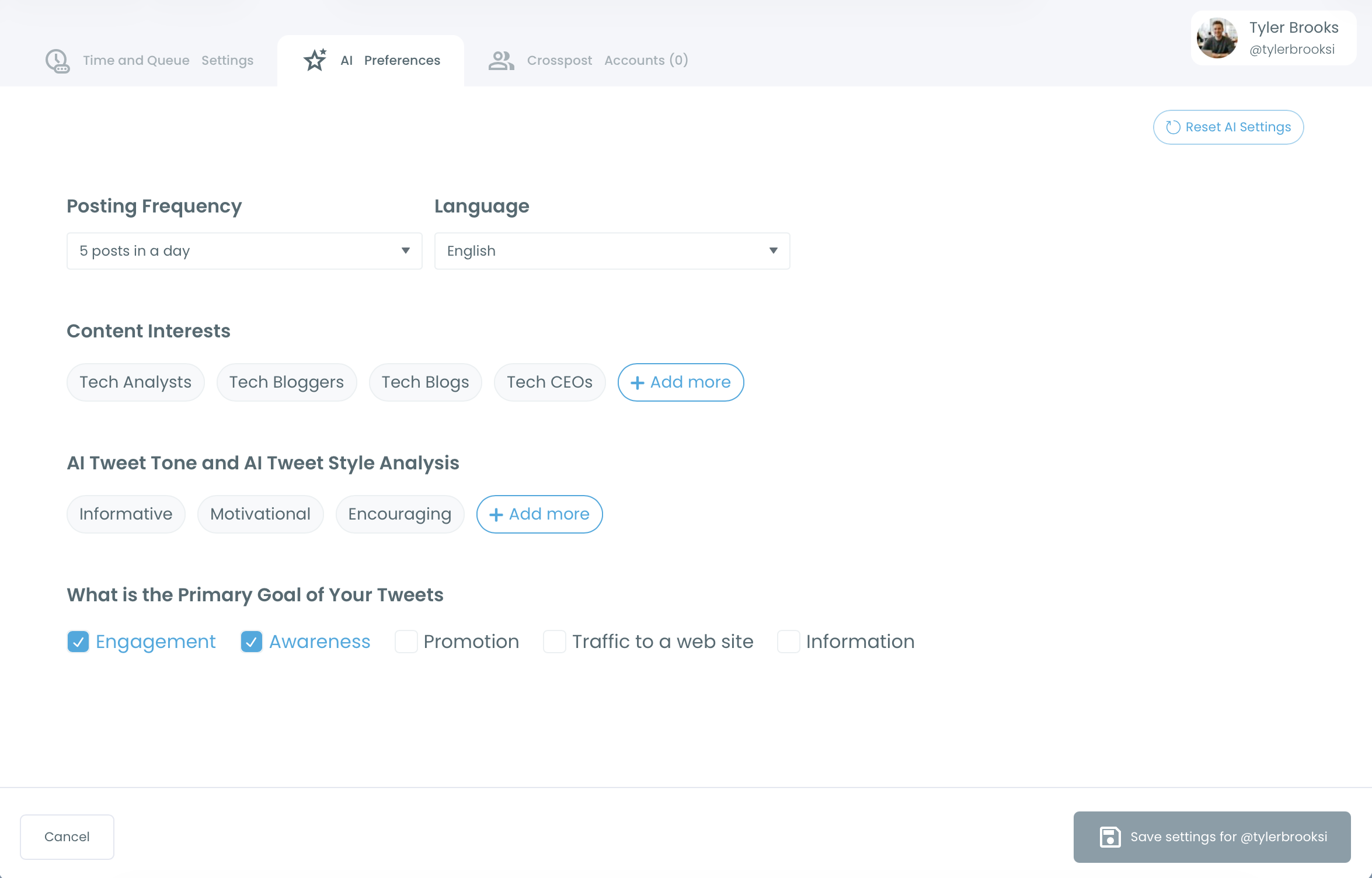
Reset AI Settings clears all your AI preferences. If AI posts don't sound right or go off-topic, check Content Interests and AI Tweet Tone first.