

How do I connect accounts for cross posting?
Step #1: Open X AI Writer for Creators + Post Analytics > Account Settings from the left menu. You can also click your account avatar in the bottom-left corner and then click SETTINGS.
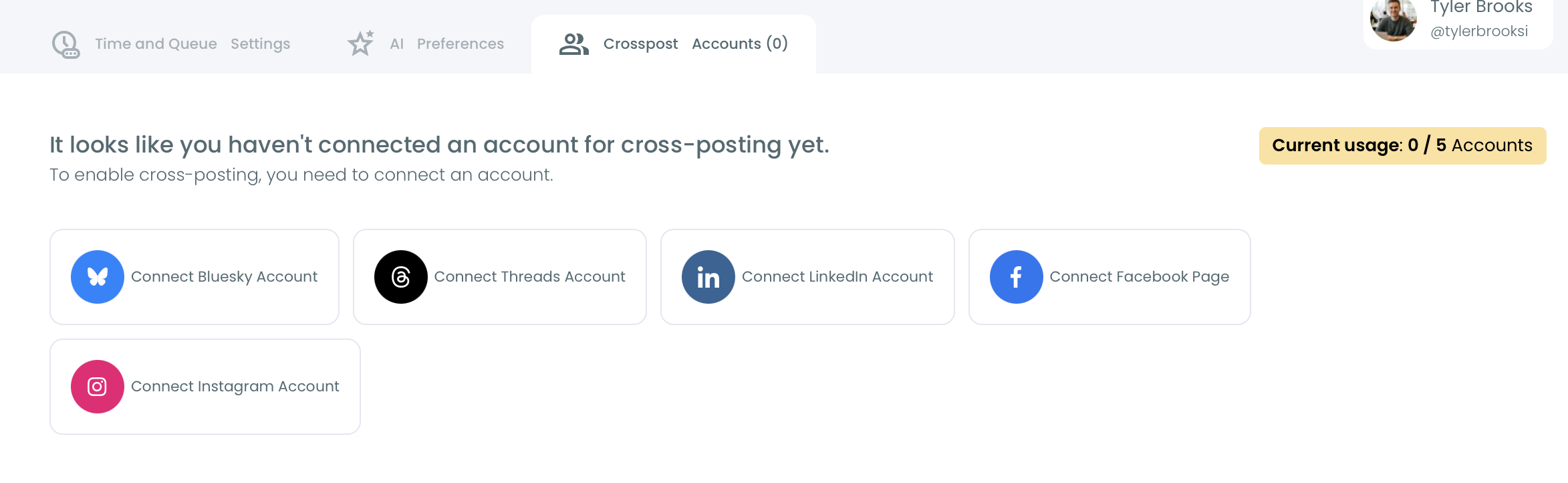
Step #2: Open the Crosspost Accounts tab.
Step #3: Click + Connect [Platform] Account for the platform you want to add, for example LinkedIn, Facebook, Instagram, Threads or Bluesky, and complete the authorization.
Step #4: When you create or schedule a post, turn on the connected accounts you want to post to.
A cross-post didn't arrive?
Open the Crosspost Accounts tab and check the account. If its connection has expired, click Reconnect to authorize it again. You don't need to remove and add it again.
The usage counter at the top shows how many accounts you have connected and how many your plan allows. Use Disconnect to remove an account.