

How do I set up or change my Unfollowers Alert?
With the Unfollowers Alert, you get a Weekly or Monthly email about the accounts that unfollowed you.
Step #1: From the left menu, open Followers / Following Management & Analytics > Followers > Who Unfollowed Me.
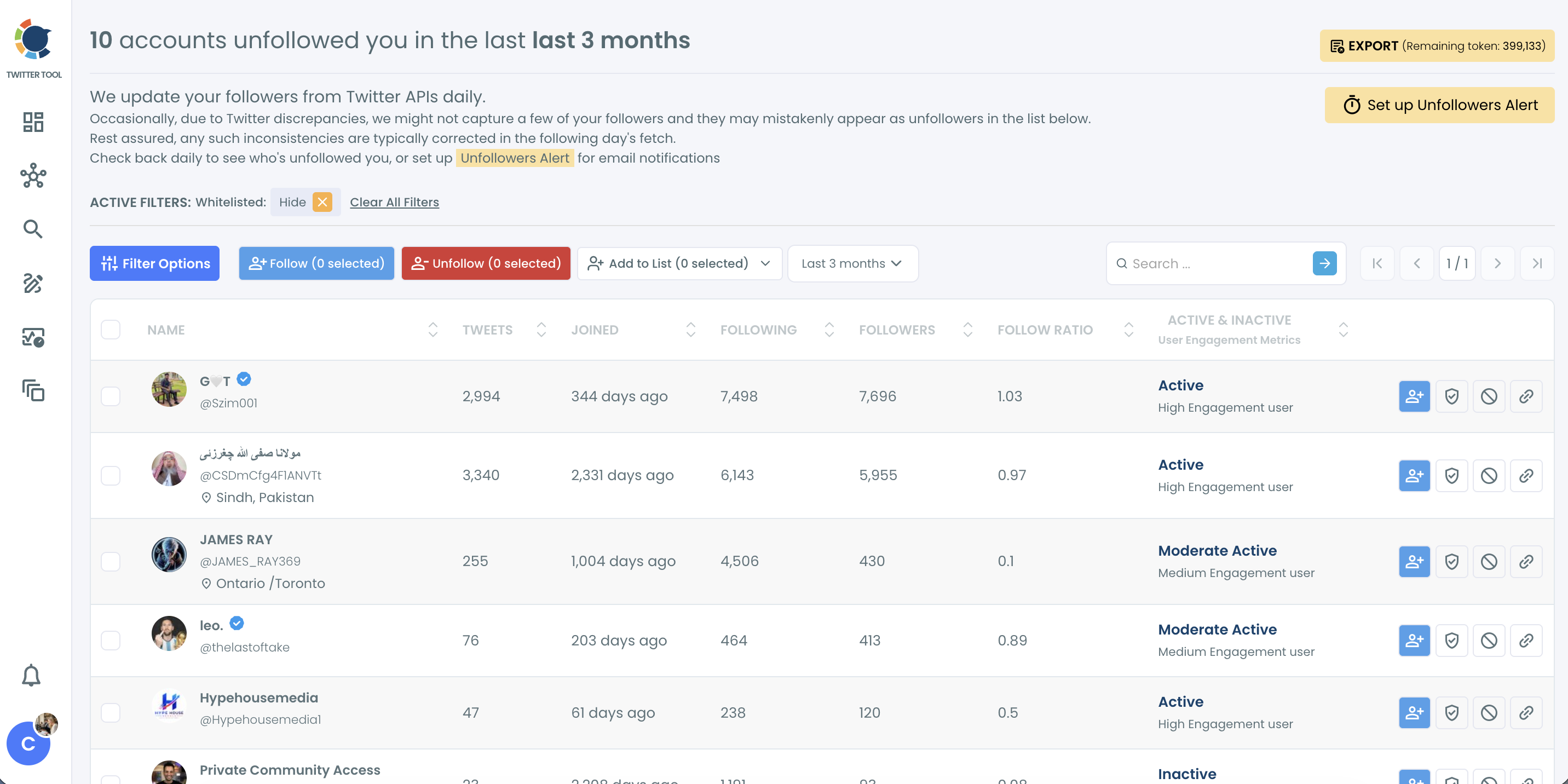
Step #2: Click Set up Unfollowers Alert at the top right of the page.
Step #3: Choose Weekly or Monthly, enter your email address, check the consent box and click Activate Alerts.
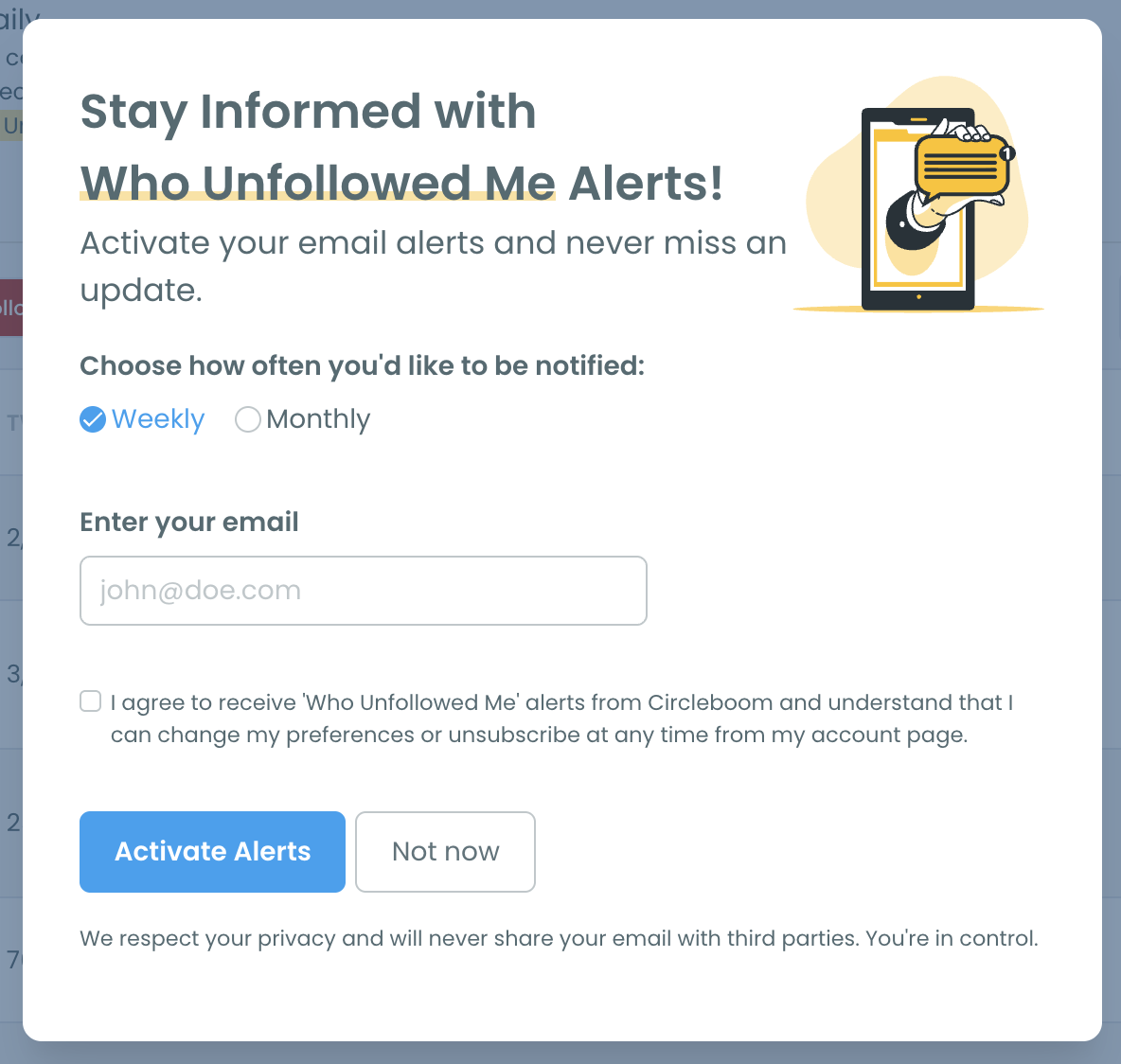
How do I change my alert?
Click Set up Unfollowers Alert again and choose the new frequency or email address.
Why don't I see a recent unfollow?
Follower data is updated daily, so an unfollow that happened in the last few hours appears after the next daily update. You can also use the period dropdown on the page to see unfollows from a different time range.