

Auto Retweet cycles help you increase impressions by repeatedly reposting a tweet at scheduled intervals. With Circleboom Twitter, you can easily see which tweets currently have an active Auto Retweet cycle and manage them from one place.
This guide explains how to view all active Auto Retweet cycles for published posts.
Where Auto Retweet Status Appears
Important: Auto Retweet cycles are only visible after a post is published. You cannot see Auto Retweet status in Outbox.
All active Auto Retweet information is shown inside Sent Items.
Step 1: Log In to Circleboom Twitter
- Go to the Circleboom Twitter website
- Log in using your X (Twitter) account
Step 2: Open Sent Items
- From the left-side menu, go to Sent Items
- This section lists all published tweets
Only published posts can have an active Auto Retweet cycle.
Step 3: Identify Tweets with Active Auto Retweet Cycles
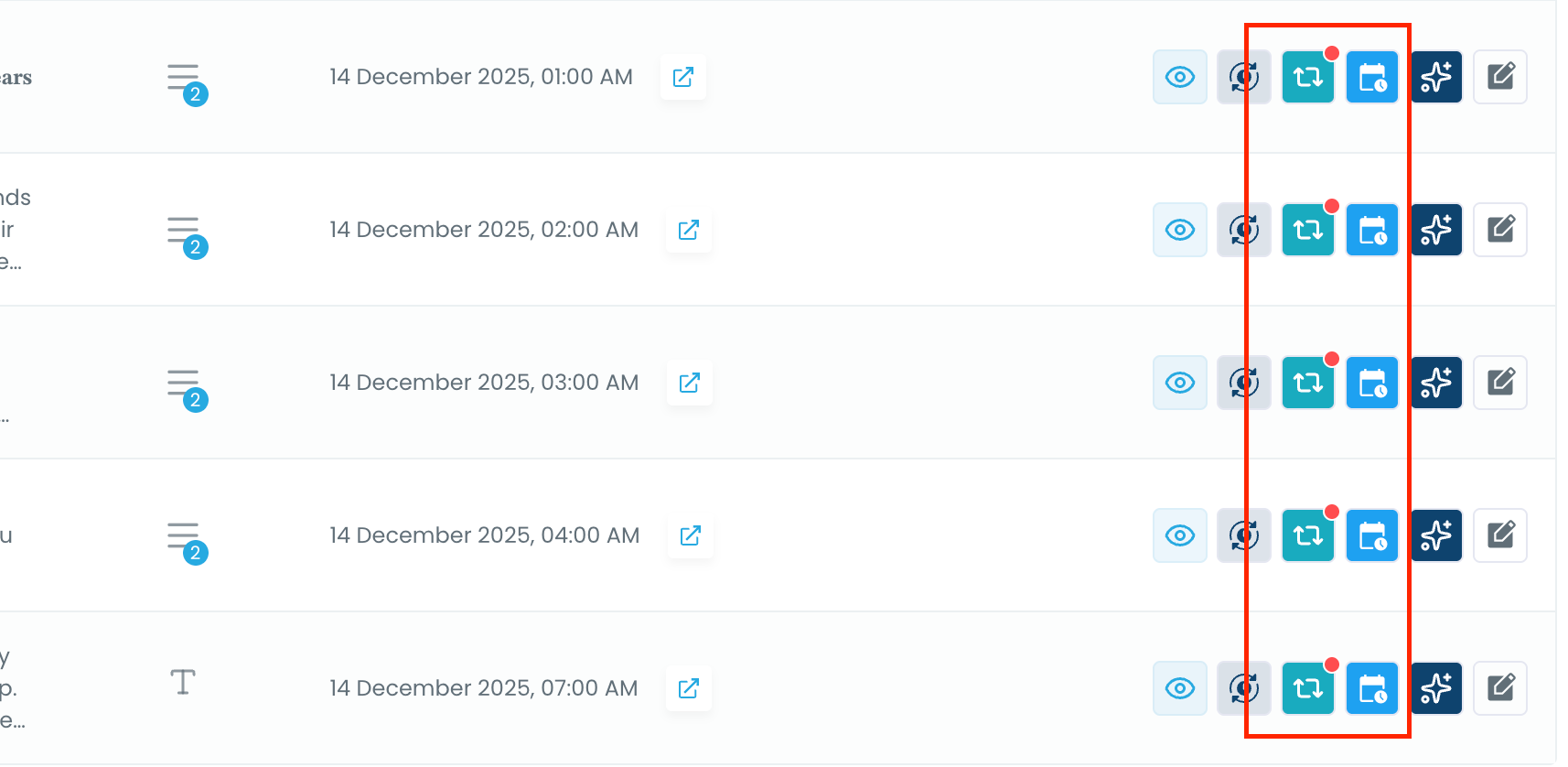
In Sent Items, look at the action icons on the right side of each tweet.
- Tweets with an active Auto Retweet cycle display a red dot on the Auto Retweet icon
- This red indicator means the cycle is currently running
Step 4: Click the Auto Retweet Icon
Click the Auto Retweet (🔁) icon on a tweet with a red dot.
A detail panel will open showing:
- Auto Retweet status (Active)
- Cycle end date and time
- Information about when the process will complete
This panel gives you full visibility into the ongoing Auto Retweet cycle.
Step 5: Review or Manage the Cycle
Inside the Auto Retweet information panel, you can:
- Confirm that the Auto Retweet is currently active
- See when the cycle will end
- Cancel the Auto Retweet cycle instantly if needed
Click “Cancel Auto-RT” to stop the cycle immediately.
What You Can Do from Sent Items
From the Sent Items page, you can:
- View all tweets with active Auto Retweet cycles
- Check cycle duration and completion time
- Cancel Auto Retweet cycles with one click
- Keep full control over repost automation
Why This Matters
Auto Retweets continue working in the background. By checking Sent Items, you can:
- Avoid overlapping cycles
- Prevent unnecessary reposting
- Adjust your strategy based on performance
Everything stays transparent, controlled, and editable.