

How to block multiple accounts on Twitter/X
On X, accounts are blocked one by one. With Circleboom, you can select spam, bot, inactive or unwanted accounts in bulk and block them through the extension. Circleboom is an Official X Enterprise Developer and works with official X data.
Block accounts from your followers or following
Step #1: Log in to Circleboom Twitter. From the left menu, go to Followers / Following Management & Analytics and open a list such as All My Followers, Fake/Bot Followers or Inactive Followers.

Step #2: Use Filter Options to narrow the list if you want, then select the accounts you want to block.
Step #3: Click Add to List (N selected) and choose Add to Mass Block List. Confirm in the pop-up.

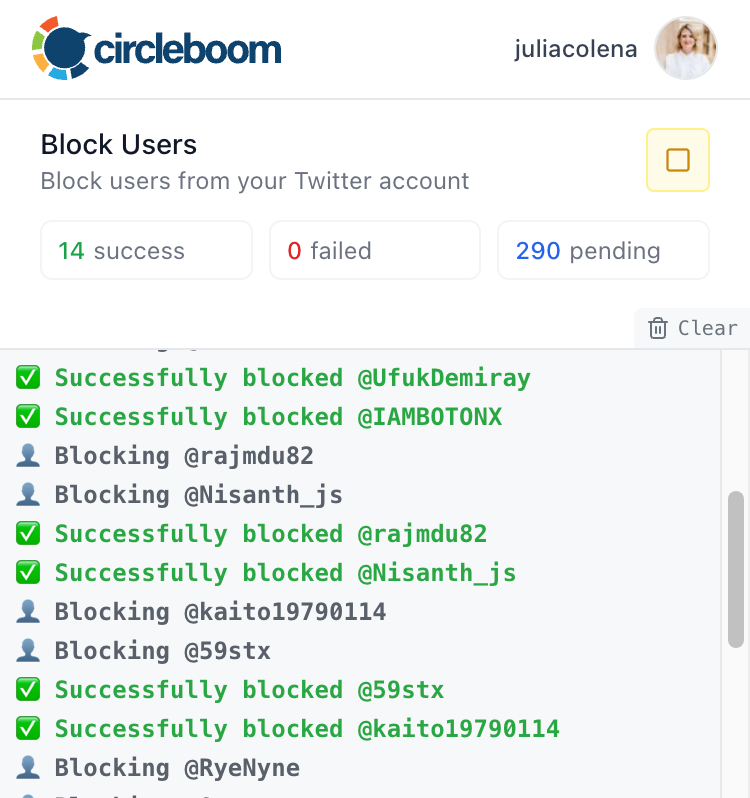
Step #4: The list is loaded into the Twitter (X) Mass Blocker extension automatically. Open the extension and click Start.
Block another account's followers, following or retweeters
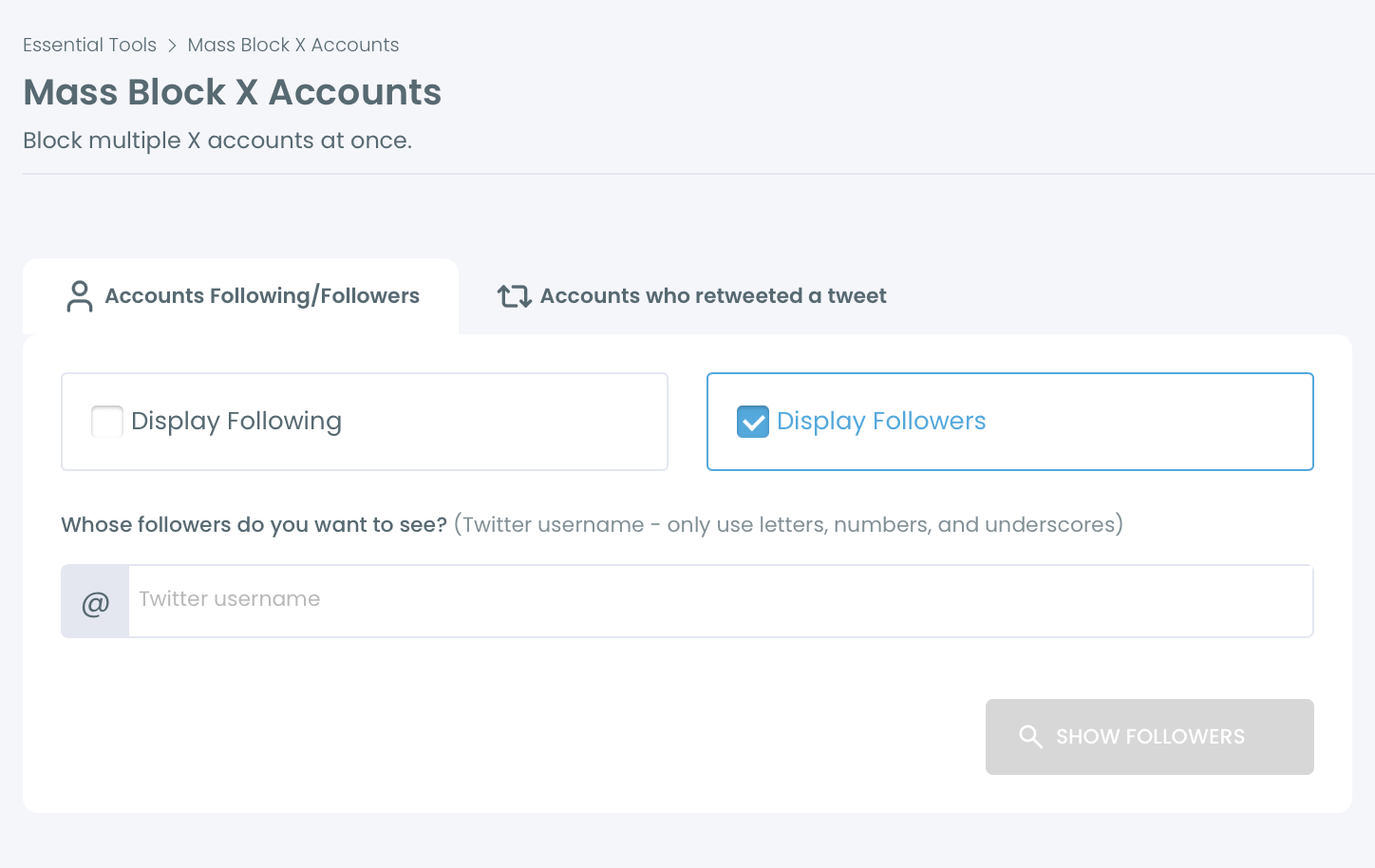
Step #1: From the left menu, open Essential Toolbox > Block / Unblock Accounts > Mass Block X Accounts.

Step #2: Choose a tab:
- Accounts Following/Followers: select Display Followers or Display Following, enter any public X username and click Show Followers (or Show Following).
- Accounts who retweeted a tweet: paste a tweet URL to list the accounts who retweeted it.
Step #3: Filter the list if needed, select the accounts and click Add to Mass Block List (N selected).
Step #4: Open the Twitter (X) Mass Blocker extension and click Start.
The extension blocks the accounts one by one within X's limits. If the rate limit is reached, it pauses for 1 to 20 minutes and then continues automatically. Keep your browser open until the process is finished.