

How can I convert my Whitelist to a Twitter List
The Whitelist protects the accounts you follow from accidental unfollows during fast-clicks. By default, we exclude the whitelist results from the unfollow lists unless you say so.
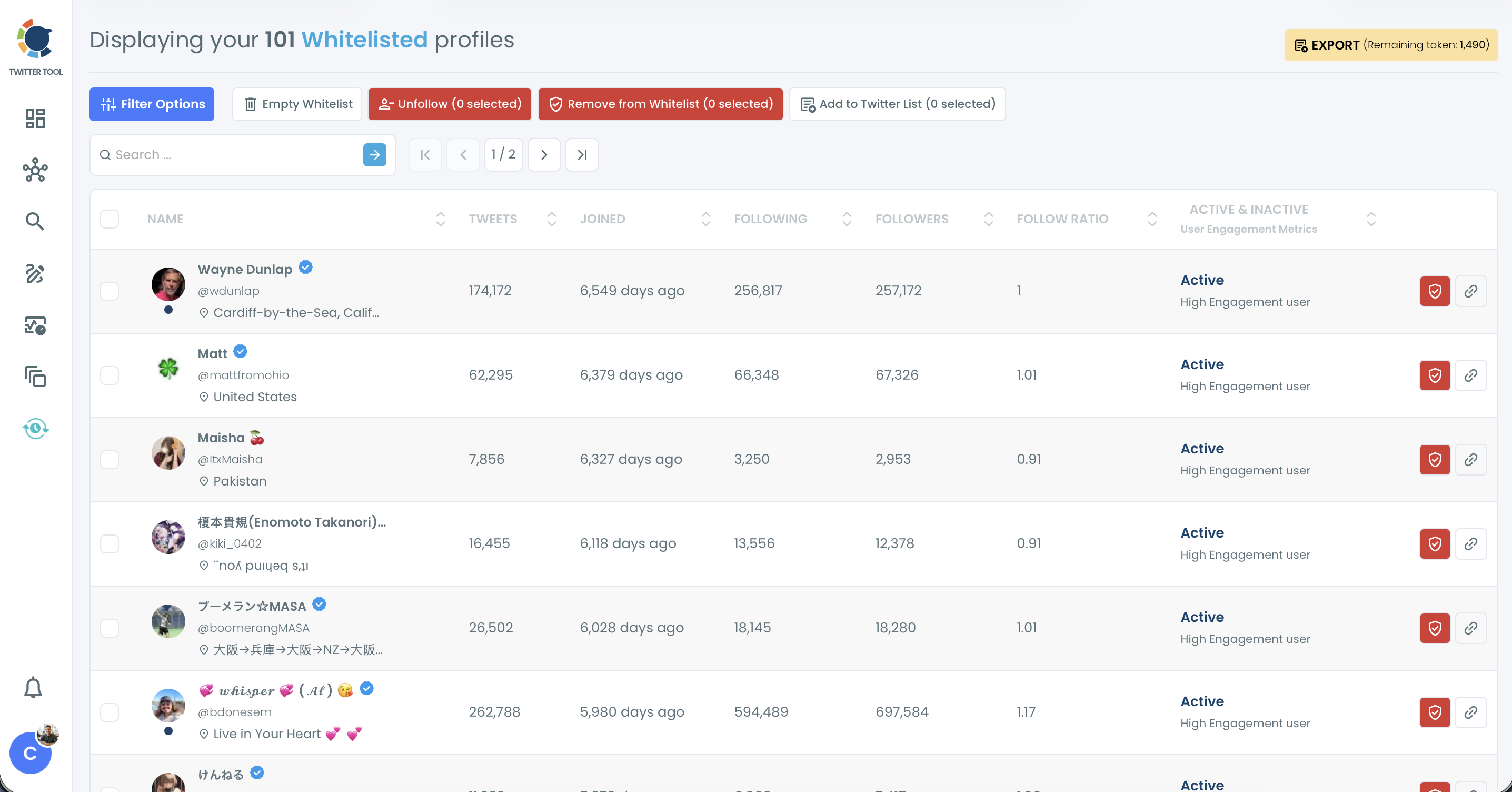
To convert your Whitelist to Twitter lists;
- Go to your Whitelist page under Followers / Following Management & Analytics > Whitelist & Blacklist
- Select the accounts you want to add to a Twitter list
- Click the Add to Twitter List button.
- Create a new Twitter List or add to an existing one.
1- Up to 100 profiles can be added to a Twitter List each time.
2- To make a new list private, check Create private list when you create it.
3- You can manage your Twitter Lists on your Twitter Account page.
2- To make a new list private, check Create private list when you create it.
3- You can manage your Twitter Lists on your Twitter Account page.