How to Add your Followers to Blacklist
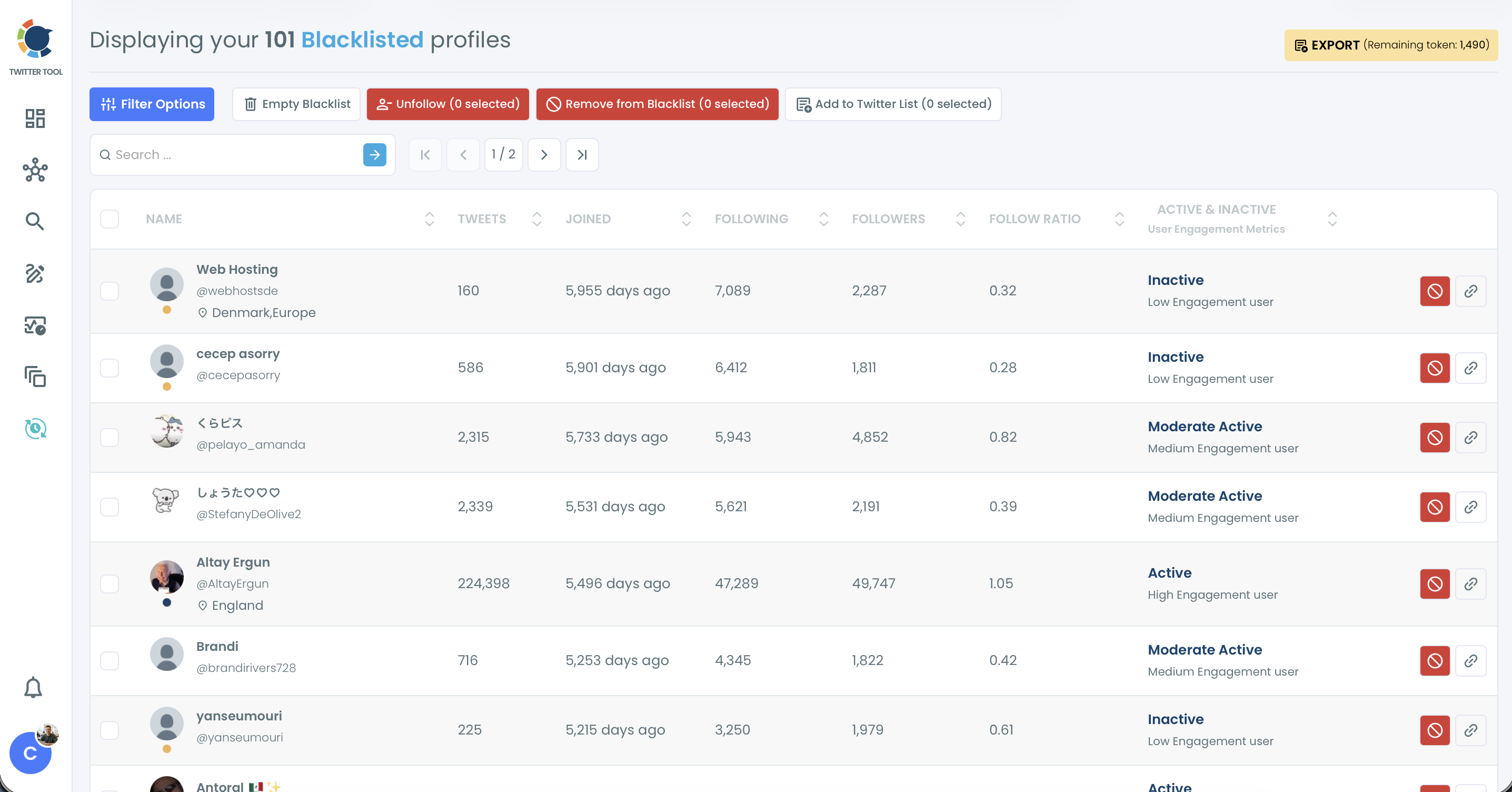
The Blacklist protects you from visiting and seeing unwanted profiles accidentally. When you add accounts to your Circleboom blacklist, we exclude the blacklist results from the searches unless you say so.
How can you proceed to do this through Circleboom Twitter?
Step 1: Log in to your Circleboom Twitter account.
Step 2: From the left menu, go to Followers / Following Management & Analytics > Followers and choose the list you wish, such as All My Followers or Fake/Bot Followers.
Step 3: Click select all checkboxes on the left upside of the Grid list.
Step 4: Click Add to List (N selected) above the grid and choose Blacklist.
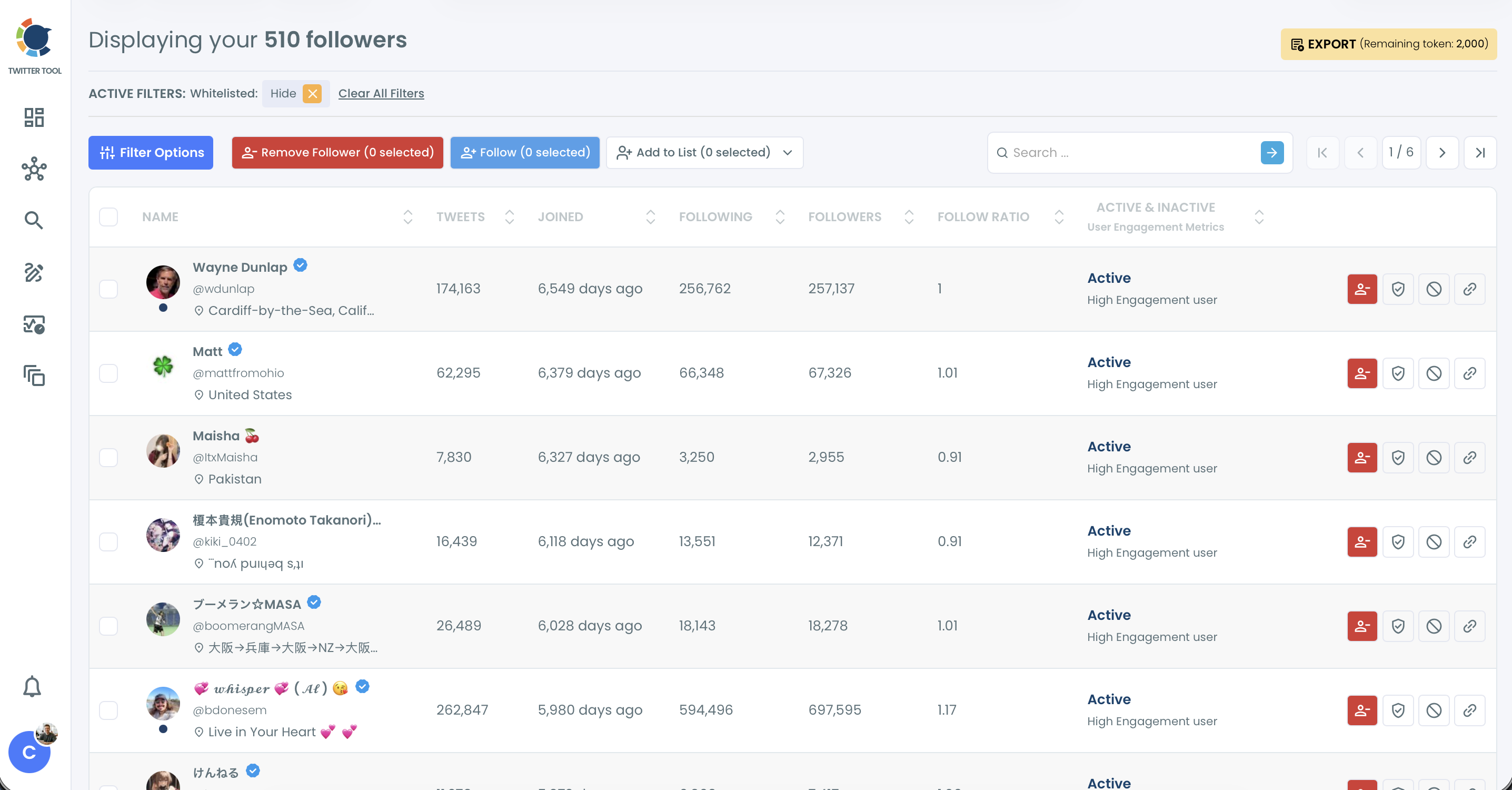
Step 5: Repeat the same for other pages.
You can see all your blacklisted accounts under Followers / Following Management & Analytics > Whitelist & Blacklist > Blacklist.