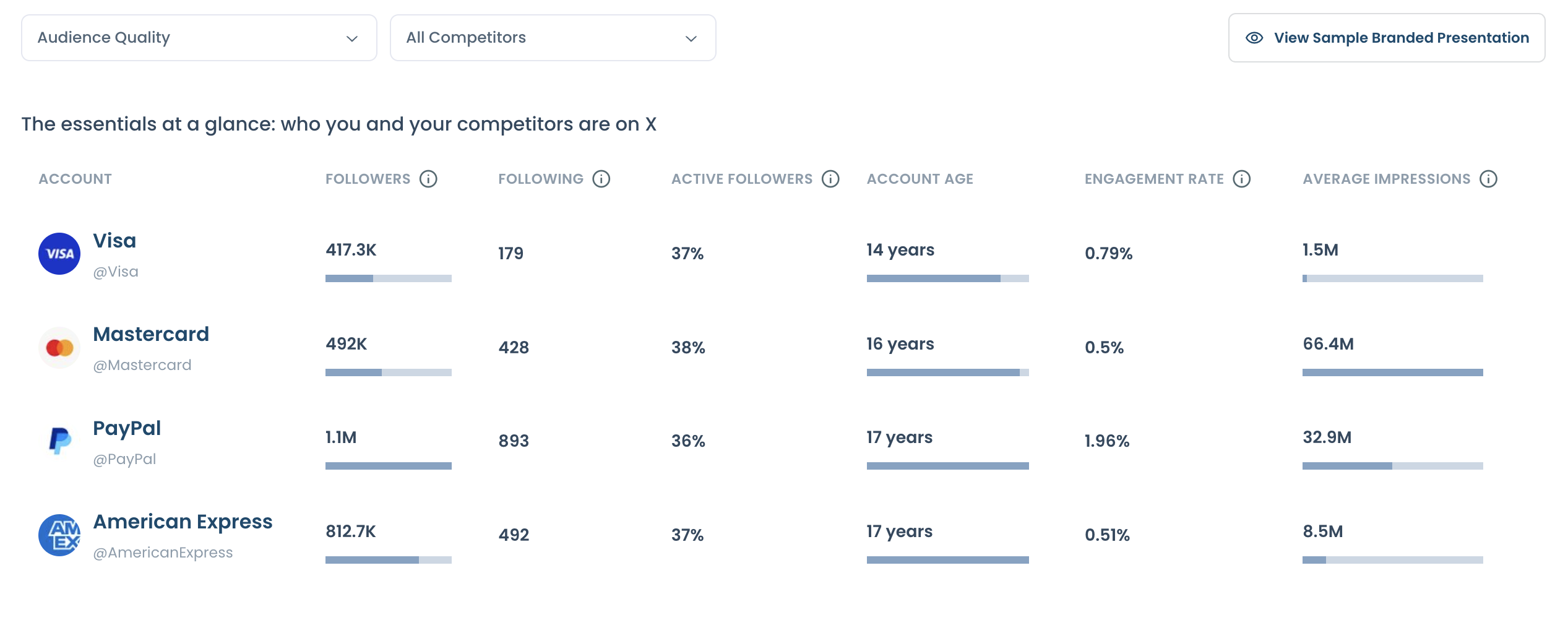
How to create an X Competitor Analysis & Benchmark Report
Every number in the report is calculated from official X API data. Circleboom is an Official X Enterprise Developer, so the report is built on real X records, not scraped data.
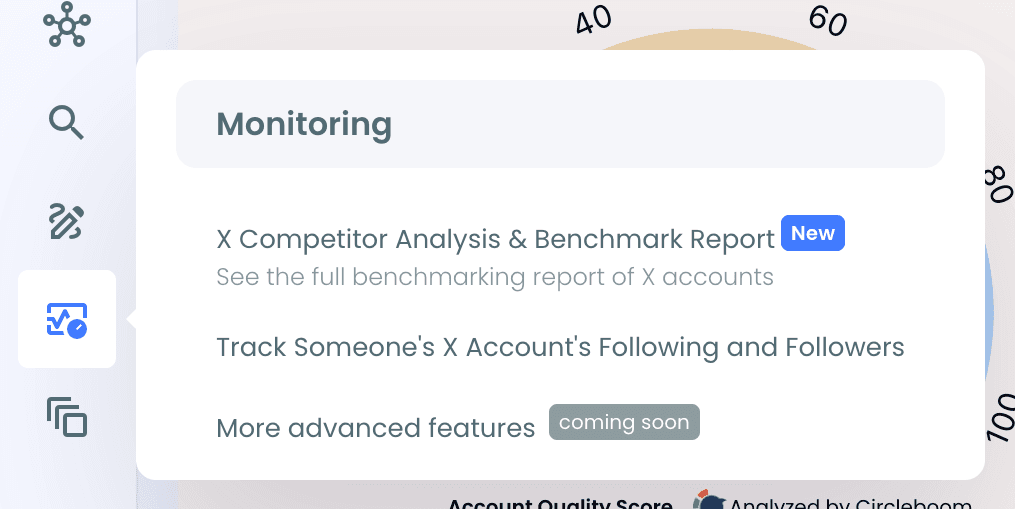
Step #1: Log in to Circleboom Twitter. From the left menu, open Monitoring > X Competitor Analysis & Benchmark Report.
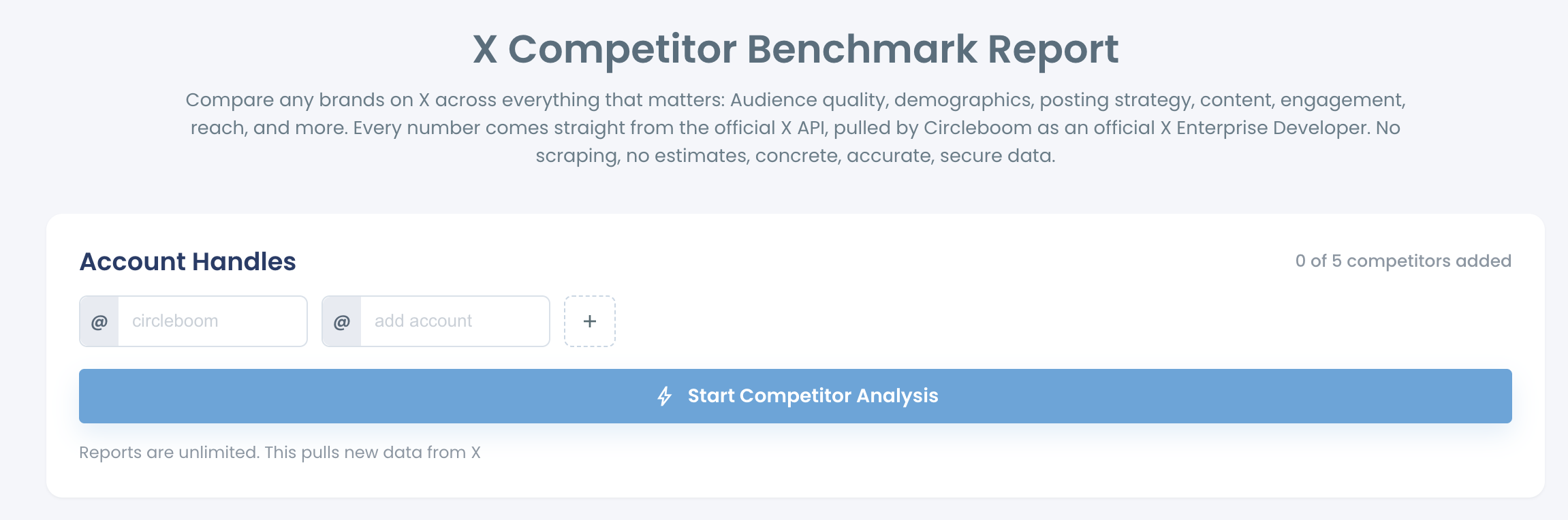
Step #2: Under Account Handles, type the X usernames you want to compare. Click the + button to add another account. The counter shows how many accounts you have added, for example "3 of 5 competitors added".
You can compare up to 5 accounts in total: your own account plus up to 4 competitors, or up to 5 other accounts without your own.
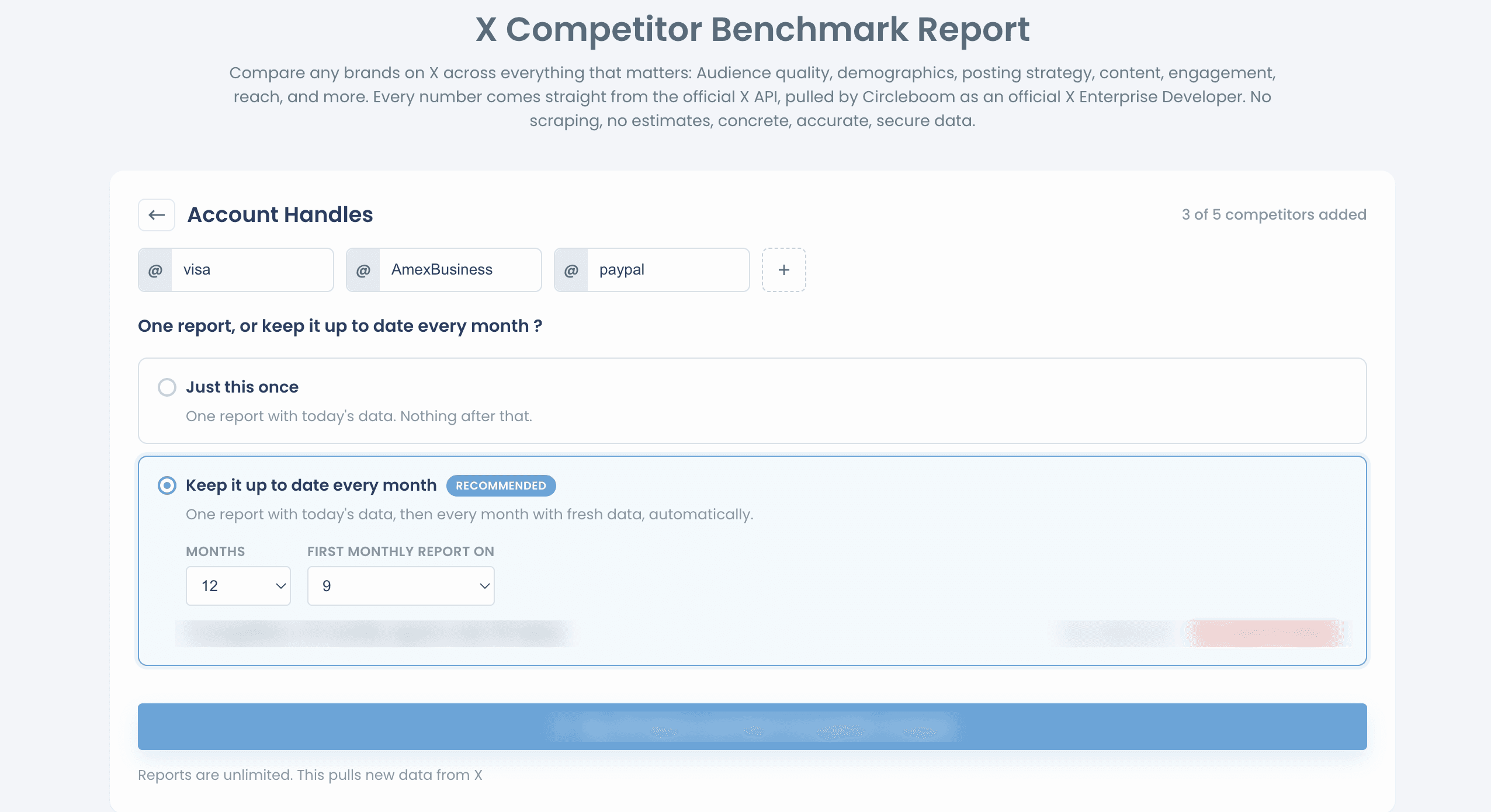
Step #3: Choose how often you want the report:
- Just this once: one report with today's data.
- Keep it up to date every month: one report with today's data, then a new report every month with fresh data, automatically. Use MONTHS and FIRST MONTHLY REPORT ON to choose how long it runs and on which day of the month.
Step #4: Click Start Competitor Analysis. Circleboom pulls fresh data for every account in the set and prepares your report.
Step #5: When the report is ready, it appears under Your saved analysis. Click View report to open it.