

How long would it take to unblock users?
With the Mass UnBlock Twitter extension, you can unblock users automatically at an average rate of around 10 accounts per minute. The speed may vary with your internet connection and device performance.
The extension unblocks accounts one by one within X's limits. If the rate limit is reached, it pauses for 1 to 20 minutes and then continues automatically. Keep your browser open until the process is finished.
• How do I start unblocking?
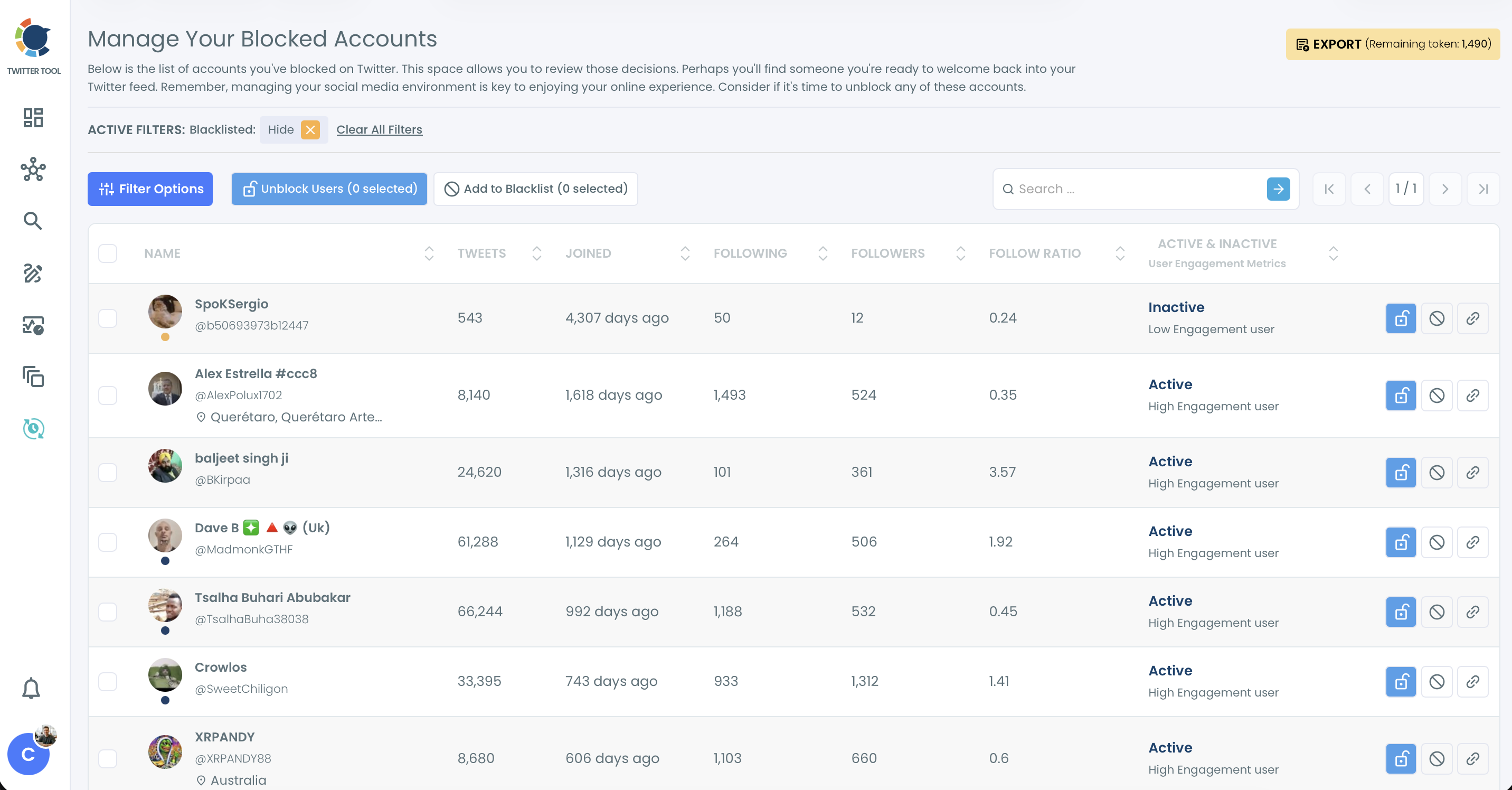
Open Essential Toolbox > Block / Unblock Accounts > Accounts I've Blocked / Unblock, select the accounts and click Unblock Users (N selected). The list is loaded into the extension automatically. Open the extension and click Start.
• Can I choose which accounts to unblock?
Yes. Your full block list is shown in one place. You can use Filter Options and select only the accounts you want to unblock.
• Does unblocking notify the user?
No. X doesn't notify people when you unblock them. They can follow you, see your posts and interact with you again.
• Does unblocking restore old interactions?
No. Unblocking only allows new interactions from that point on.