How to stop an Auto Retweet cycle
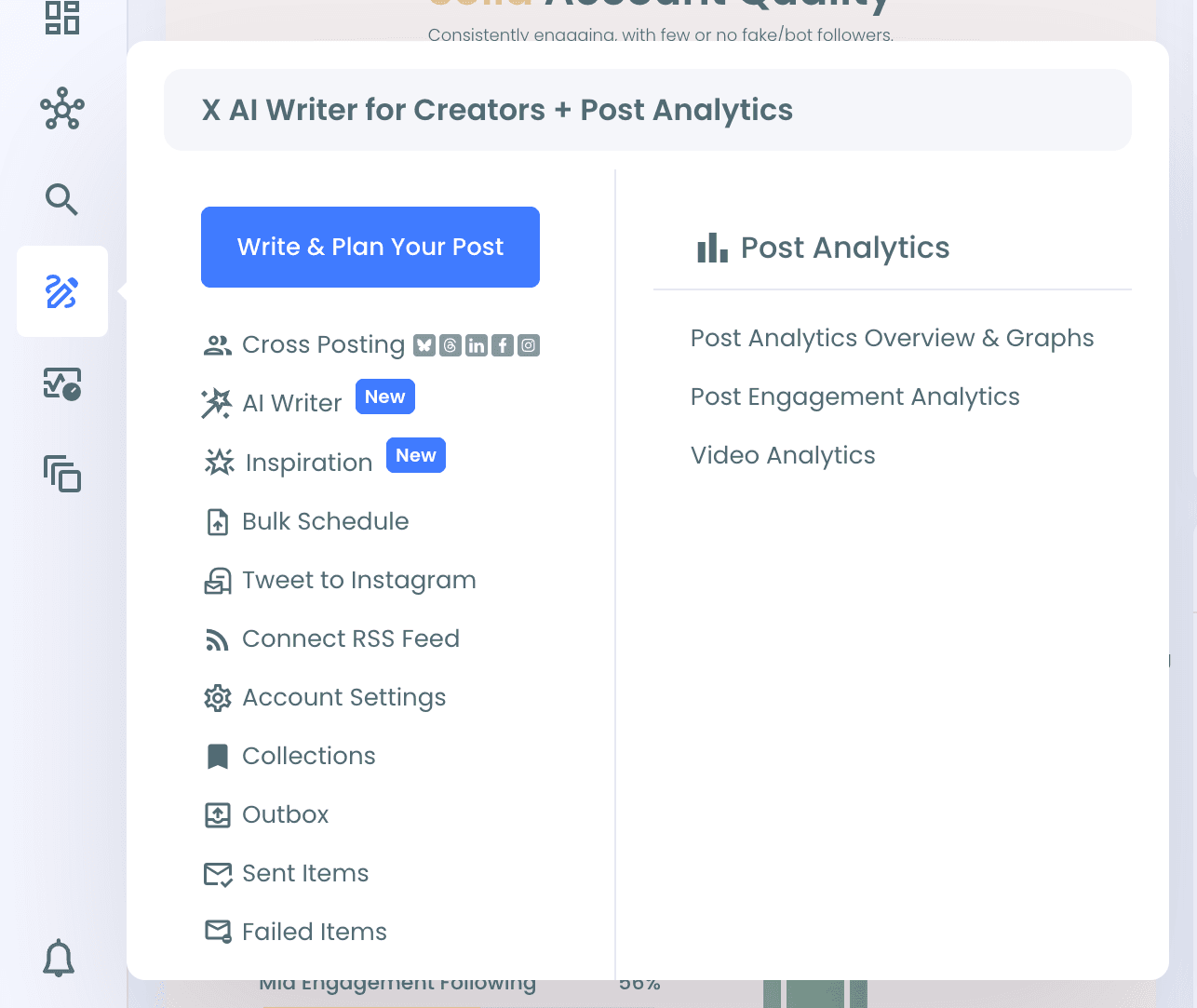
Both Outbox and Sent Items are in the left menu under X AI Writer for Creators + Post Analytics.
Stop Auto Retweet for a scheduled post (Outbox)
Step #1: Open X AI Writer for Creators + Post Analytics > Outbox.
Step #2: Find the post with Auto Retweet and click Edit.
Step #3: In the editor, click the repost/cycle icon to open the Auto Repost / Un-RePost panel. Turn off RePost after to stop the cycle, or change RePost after, Un-RePost after and Repeat this cycle if you only want to adjust it.
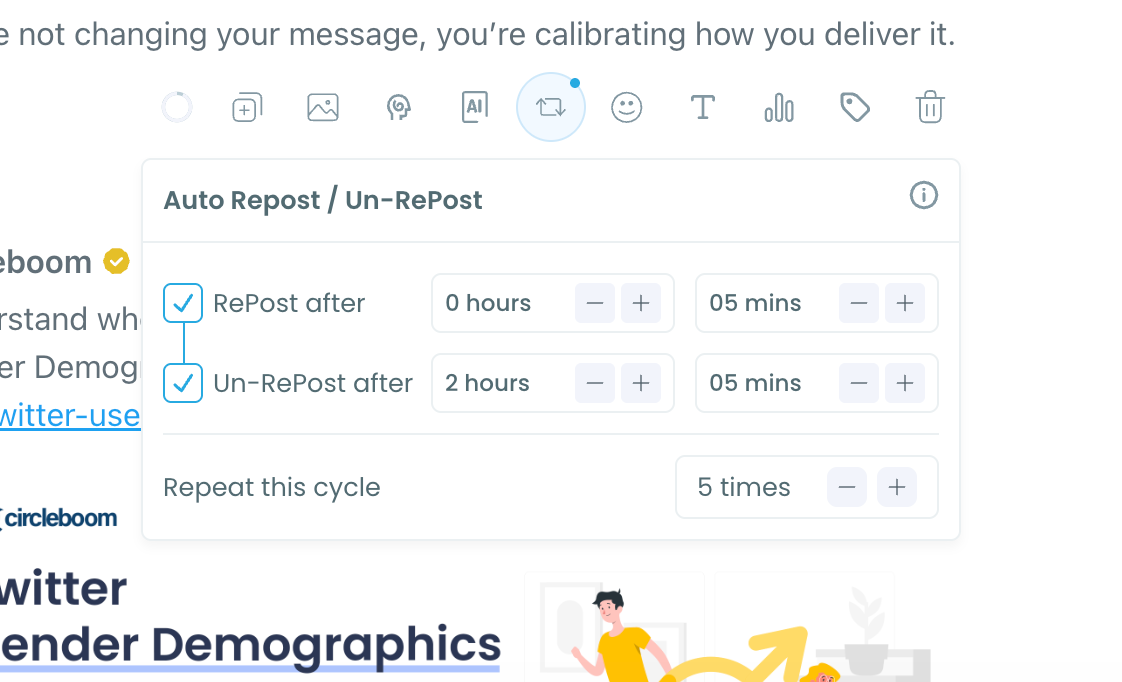
Step #4: Save the post. The cycle won't run, or it will run with your new settings.
Stop Auto Retweet for a published post (Sent Items)
Step #1: Open X AI Writer for Creators + Post Analytics > Sent Items.
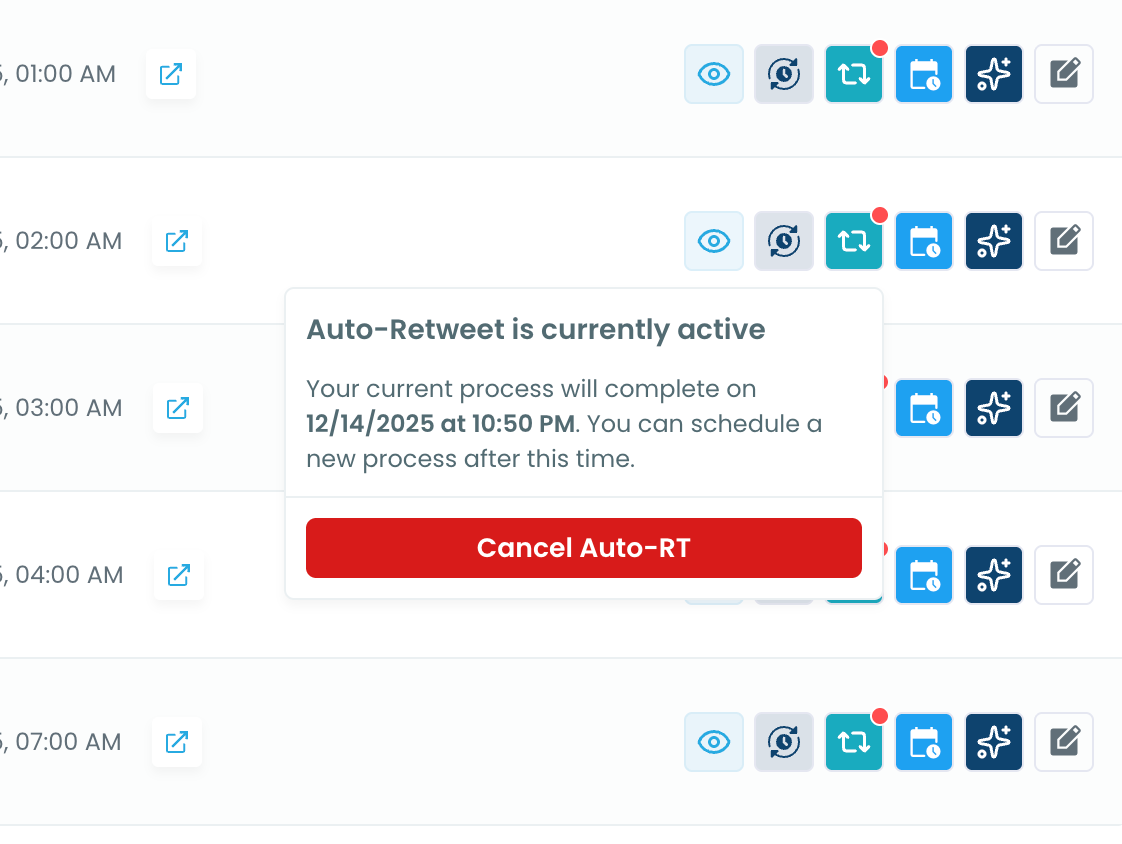
Step #2: Find the post with an active cycle. Its Auto Retweet icon shows a red dot.
Step #3: Click the Auto Retweet icon. A panel shows that Auto-Retweet is active and when the process will complete.
Step #4: Click Cancel Auto-RT. The cycle stops right away.